Introduction
Vs 2008 is the MS latest IDE for developing Windows, Web, Smart Device Applications. It comes along with .NET Framework 3.5, C# 3.0, LINQ, ASP.NET AJAX and VSTO . Now with the power of VS 2008 we can target multiple versions of .NET Framework.
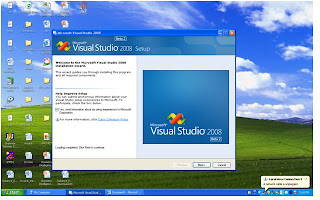
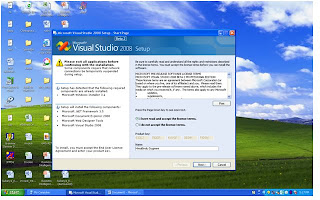
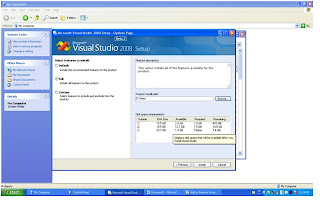
Installation steps here
VS 2008 Multi-Targeting Support:
Previously every VisualStudio release supports its own specific version of .NET Framework.
That is VS 2002 with .NET 1.0
VS 2003 with .NET 1.1
VS 2005 with .NET 2.0
VS2008 now supports 2.0, 3.0, 3.5 Frameworks.
For example if we want to run /create /modify ASP.NET 2.0 application from VS 2008, we can easily do that. The advanced features, projects, controls and assembly references that don't work with 2.0 Version of the framework will be hidden. When we build our application we'll be able to take the compiled output and copy it onto a machine that only has a 2.0 version of the .NET Framework installed. No doubt the application works.

And now we will be able to take advantage with our existing projects without having to upgrade our framework/ASP.NET version.
These features are
1. JavaScript intellisence
2. JavaScript debugging that is not possible in previous versions
3. Nested ASP.NET master page support at design-time
4. CSS editing and layout support within designer
5. Split-view designer for having both source and design views open on a page at the same
6. AJAX Control Extender support etc.
Upgrading to new version using VS2008

Click on Project Properties in Solution Exploere. Now Click on Application We can change the "Target Framework" dropdown to select the version of the framework we want the project to target. After selecting the framework will cause VS to automatically update compiler settings and references for the project to use the correct framework version. System.Core, System.Web.Extensions, System.Xml.Linq are the 3 new dll references that are added I 3.5 framework. There are also newly added controls like ListView and LinqDaraSource in VS 2008 . We can see these controls once we upgrade to 3.5 Frame work.
NET 3.5 which delivers new ASP.NET controls/runtime features and provides built-in ASP.NET AJAX support .
We are no longer need to download the separate ASP.NET AJAX 1.0 install as its built-in with the .NET 3.5 setup
Limitation:
Multi-targeting support works with versions .NET 2.0, .NET 3.0 and .NET 3.5 only. That means it will not work for .NET 1.0 or .NET 1.1 versions. The reason is that there were significant CLR engine changes between .NET 1.x and 2.x. This makes debugging difficult to support. We can run VS 2003, and VS 2002 targeting 1.0 or 1.1 Framework on the same machine as VS 2008.
Conclusion:
Multi- Targeting in VS 2008 is explained clearly
Note
Download VS2008 from here