Showing posts with label Office 2010. Show all posts

June 22, 2010

Microsoft Office 2010 - Community Launch at Guntur

Hima giving the ppresentation

This week end I have gone to Guntur,which is my Home Town to launch Microsoft Office 2010 at Hotel Sindhuri,Brodipet on 20th June 2010. The launch was a great success, very well received we got the crowd more than expected. In fact the event has been covered in the Country's one of the best news paper The Hindu,very well received. The goal of the event was get educated on Micro Soft Office 2010 new features to the audience. I am sure that the participants have learnt something and at the same time they can also build relationships between Microsoft Experts and Community Members. Please join MUGH for the notification of such events in future.

The audience

Since it was our first public community event at Guntur, we targeted 100 people, But the response was more than that (even though it was raining on that day),people from various background wants to learn and update the technology, and know the new features. Hats Off to their interest!!!. The participants are so enthusiastic and they are eager to learn about the latest technology. There are House wives (who uses MS Excel for their financial planning and home budget planning), Retired Teachers and professionals(who uses MS Excel for investment tracking in Shares), Students, Company Heads, Doctors, Chartered Accountants Lawyers and people from various sectors. Even we made our family members to be part of it!. Professionals from Hyderabad, Bangalore and Vijayawada came exclusively for this event to attend.


People working in corporates (Capital IQ, Bajaj Allianz, Ramky group, National Informatic center,Brahmayya & Co, few small and medium IT companies,some reputed training centers, and associates/service providers of companies like ITC, Pepsi co. etc..)Few students also attended( due to constraint of seats we have limited them, otherwise hundreds of them would have attended).The total attendees are about 150 (actually there is a floating of few busy people) but there are almost 130 seated at every point of time.Due to a heavy rainfall in morning the event started 1hour late and lasted for about 5.5 hours along with lunch.


Myself with Another MVP Mr. Pavan Kumar Paruchuri could able to organize it well.
Pavan is a qualified ICWA, MVP in Consumer-Security with lot of passion for the technology and good at ethical hacking, He has given nice presentation on Power Point 2010 and the audience received it well. Audience said that they liked the Video Broadcasting and Video Cropping options in PowerPoint 2010.

Pavan Parachuri giving the presentation
Pavan Parachuri giving away the presentation.

When I showed the demo of Navigation Options, Viewing documents side by side, Text to Speech and the Mini Translator they said like Wow!!


I felt like We should definitely do more events there (soon it will be also another IT Hub) as well. The event got covered in all the major local newspapers (Sakshi, EEnadu, Vaartha and Andhra Jyothi).

Click on the below picture, what local newspaper says about the event.
Andhra Jyothi coverage about the event

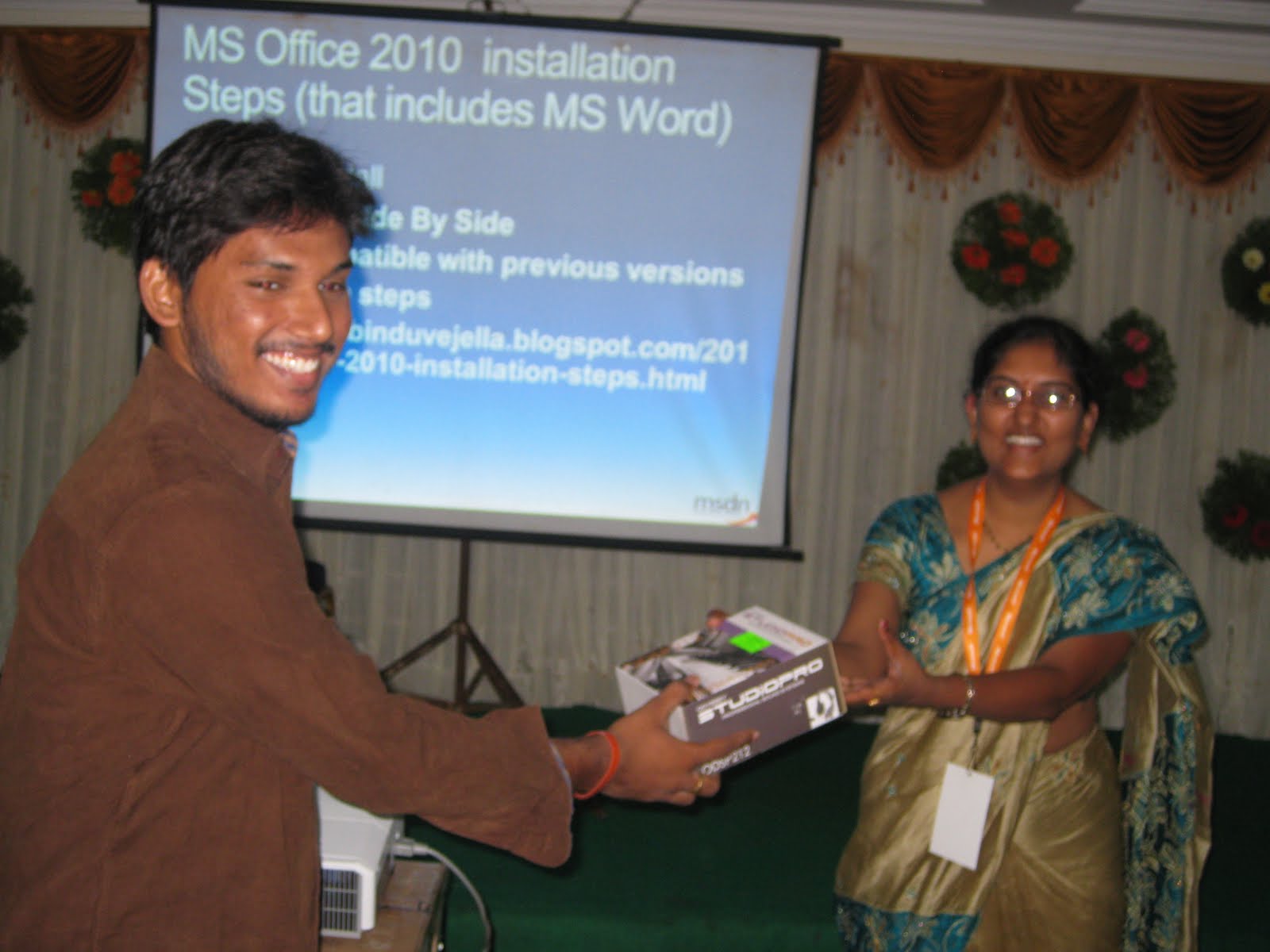
We also asked some questions in the some of the new features in Office 2010 and distributed Office 2010 softwares, Win7 Ultimate, Examination vouchers and some goodies to the winners.


Some of the Feedback from the audience:
This is one of the best event that we have attended and expecting more technical events in future. I would like to thank our MVP Lead Mr.Abhishek Kant, for all his support in making the event successful.

June 12, 2010

Add your Full Name to Office 2010

This is one of the cool face book applications that looks interesting!!!
Generally if you use names or places the dictionary in office will not recognize it. When you check for spelling and if automatic spell check is enabled it is an error until you press ignore all. Now you can avoid all these stuff in Office 2010,you can also add your name to the office custom dictionary and you will be notified once the custom dictionary is updated. That document you need to add in place of custom dictionary. However if you do not want your existing custom dictionary to overwrite, then you can rename it and upload the new one.
Here is how you configure the custom dictionary
File -> Options-> Proofing->Custom Dictionary

Custom dictionaries adding in office 2010

You can also add other language spell checks without updating language packs provided you have customdic.doc.

Add your name to custom dictionary

Please click on the followinglink to add your name to the custom dictionary.

Nice Facebook application as well!!

Office 2010 installation steps

If you have Office 2003 or Office 2007 you can directly upgrade the version to Office 2010 or You can un- install previous MS Office and re install the latest office version i.e. Office 2010.
I have downloaded Office 2010 Professional Plus edition from MSDN, burnt the CD and ran the set up file.
These are the installation steps that might be helpful for the others who are migrating to latest Office 2010.

Office 2010 installation steps
It will ask for the upgrade to the latest version.

We have the option to remove older version and install latest while upgrade. Or otherwise you can run both the versions parallel.I am using windows 7 ultimate as my Operating System.
Step1

Step2

Step3

Step4


Repairing Office 2010


It took 15 minutes for me to install Office 2010 and again it depends on your system performance.
Note: Office 2010 that includes Excel 2010, SharePoint 2010, Word 2010, Power Point 2010, and Access, InfoPath is the best Microsoft product among all.

December 15, 2009

MS Office 2010 Beta Development Training KIT

Microsoft Office 2010 Beta is a broadly extensible platform for building information worker productivity solutions and developing for Office with Visual Studio 2010 Beta 2 makes this easy. The Office 2010 Developer Training Kit content is designed to help developers get started building solutions, from add-ins to full featured Office Business Applications (OBAs), using Visual Studio 2010 with Office 2010 and SharePoint 2010 as the core platform.

Therefore, just click on the Office Learning Center kit. This training kit is an offline complement to the Office Learning Center and provides links to the videos but the hands-on labs (HOLs), source code and presentations will be conveniently available on the local machine. This is the same content that we developed for the Metro early adoption program, which we are now making broadly available to Office developers everywhere! So, whether an ISV developing a product on top Office, an enterprise developer looking for ways to enable process efficiencies through Office customization and SharePoint integration, or a developer that wants to just build cool add-ins for Office, encourage them to download the training kit and get started. The possibilities and scenarios that are now available with Office 2010 and Office coupled with SharePoint 2010 are very exciting.